ipstyle Apps Source Privacy 68% 9:41 ipstyle native apps for Mac and iPhone

Four apps live — on the Mac App Store and the iOS App Store. More on the way. No Electron, no trackers, no accounts — what can run locally, runs locally.

Switzerland macOS 14+ · iOS 17+ English & German No accounts, no tracking
App Store — Sandboxed No Analytics · No Accounts · No Ads OWASP ASVS 4.0 · MASVS Apple Secure Coding Guide RFC 8252/7636 · CWE Top 25

Four apps, live now

Two in the Mac menu bar, two on iPhone — all fully sandboxed.

AI-Cockpit app icon

AI-Cockpit

Every AI budget in one place.

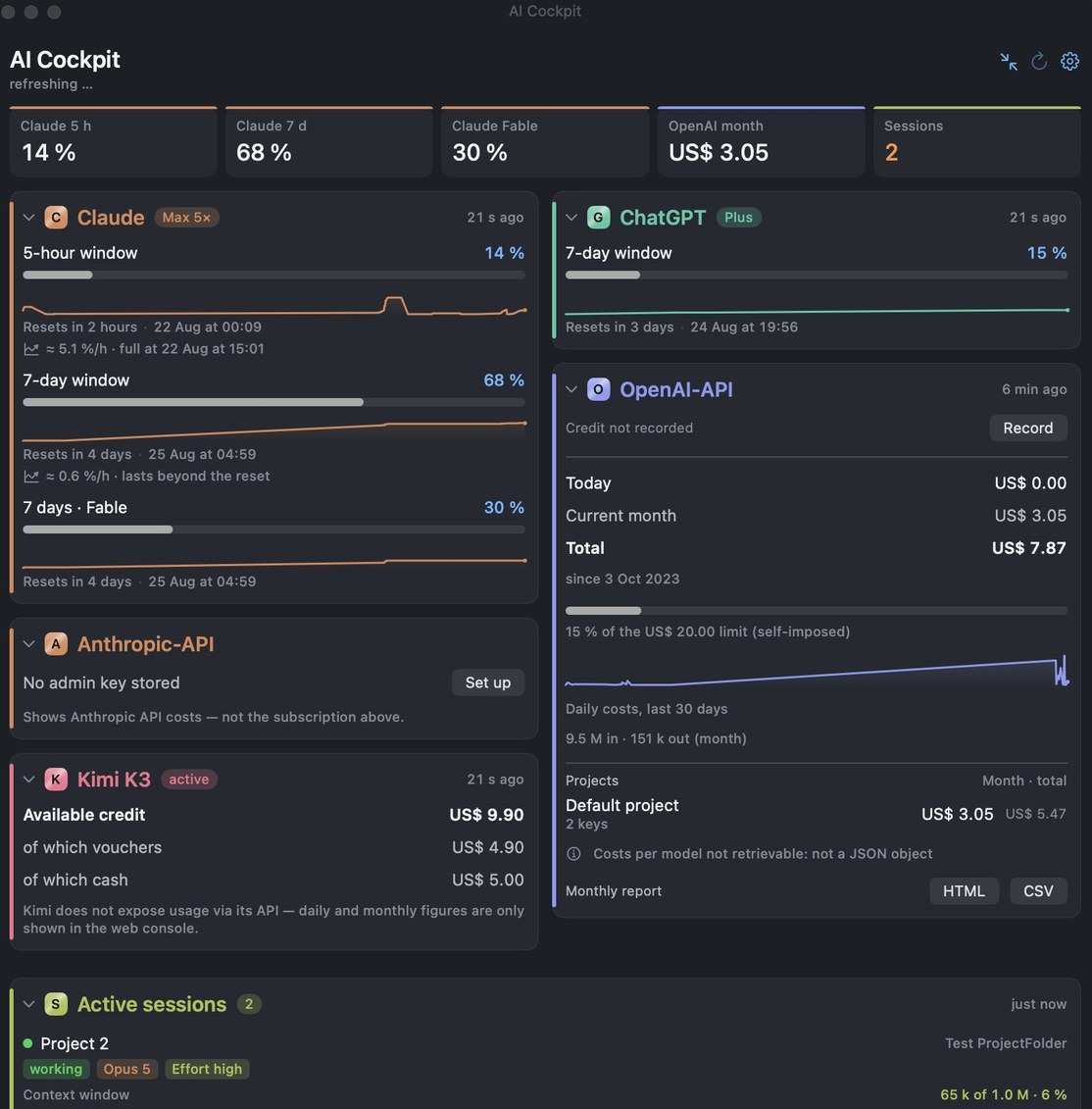
  • Claude subscription usage — 5-hour and weekly windows, with forecasts
  • Two Claude accounts side by side — personal and work, each on its own named card
  • ChatGPT/Codex quotas, OpenAI and Anthropic API costs, Kimi credit, OpenRouter credits, Grok balance — plus GitHub Copilot usage, coming with 6.5 (in App Store review)
  • Live Claude Code sessions with subagents, token shares and context windows
  • Alerts at 75% and 90% — before the window closes on you
  • Drag the cards into the order you want, and pick which figures the menu bar shows
  • Every card marked with its own coloured letter — C for Claude, C2 for a second Claude account, G for ChatGPT, O and A for the APIs, K for Kimi, R for OpenRouter, X for Grok, GC for GitHub Copilot, S for sessions
Download AI-Cockpit on the Mac App Store

Free · no subscription, no in-app purchases · aicockpit.info · Documentation

AI Cockpit Mobile app icon

AI Cockpit Mobile

The same AI budgets, on your iPhone and your wrist.

  • All eight services, fetched by the phone itself — no Mac needed
  • Home Screen widgets, Lock Screen and StandBy tiles
  • Apple Watch edition: one-line verdict on your wrist, a complication in four shapes
  • Demo mode — look around before signing in to anything
Download AI Cockpit Mobile on the App Store

Free · no subscription · optional tip (Espresso, Cappuccino, Znacht) in Settings → About · aicockpit.info

BarBox app icon

BarBox

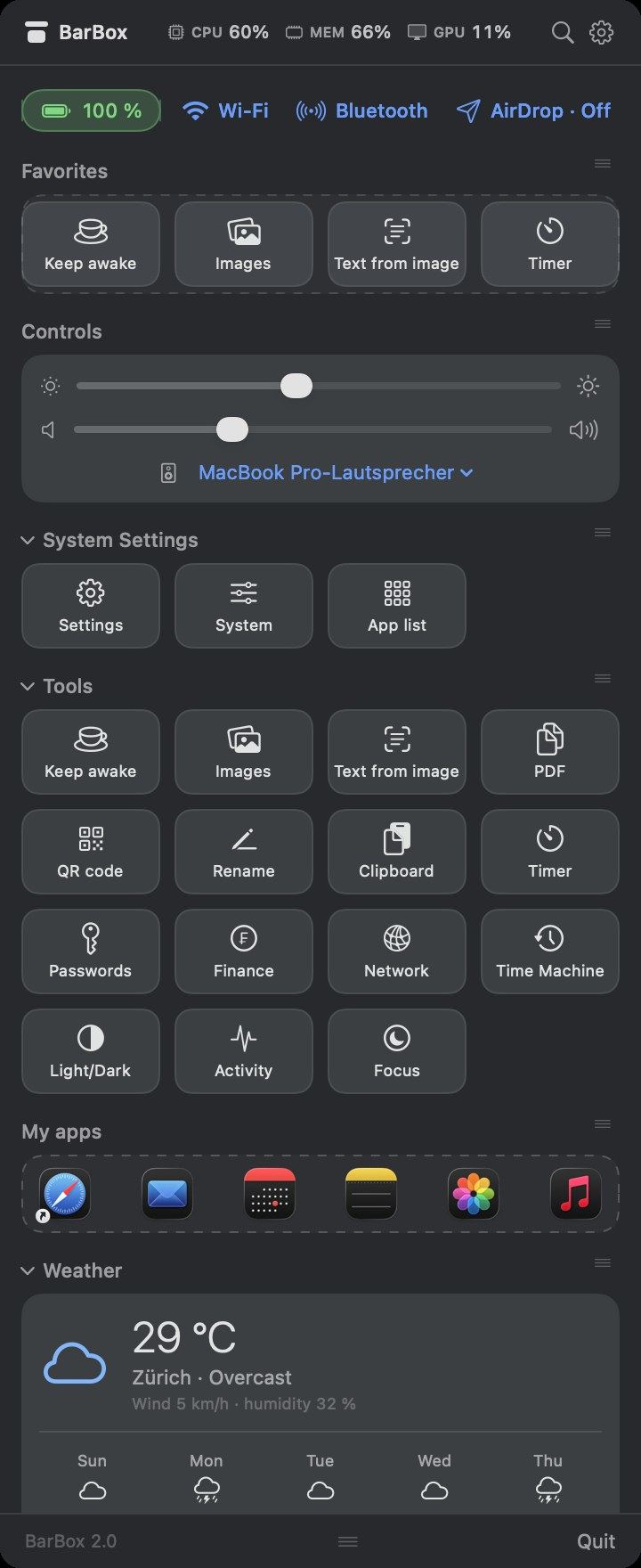
The menu bar, tidied up.

  • Live CPU, memory and GPU right in the menu bar
  • Battery, Wi-Fi, Bluetooth and AirDrop as dropdowns; brightness and volume
  • Image compression, text from image (offline OCR), PDF merge, QR codes, batch rename
  • Keep awake, timer, passwords, network, Time Machine, weather and rates
Download BarBox on the Mac App Store

Free · Website

Baumängel Tracker app icon

Baumängel Tracker

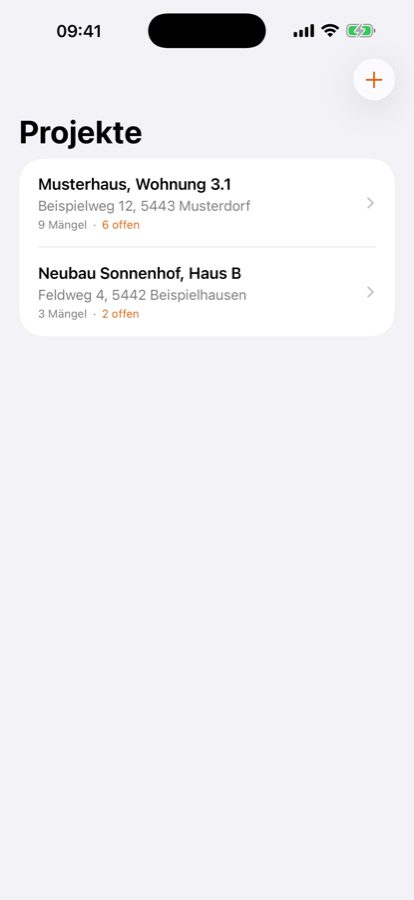
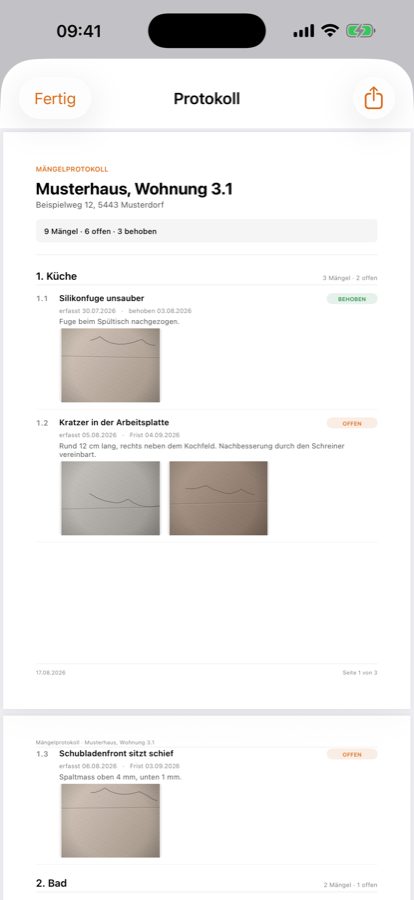
Snag lists for iPhone, handed over as a PDF.

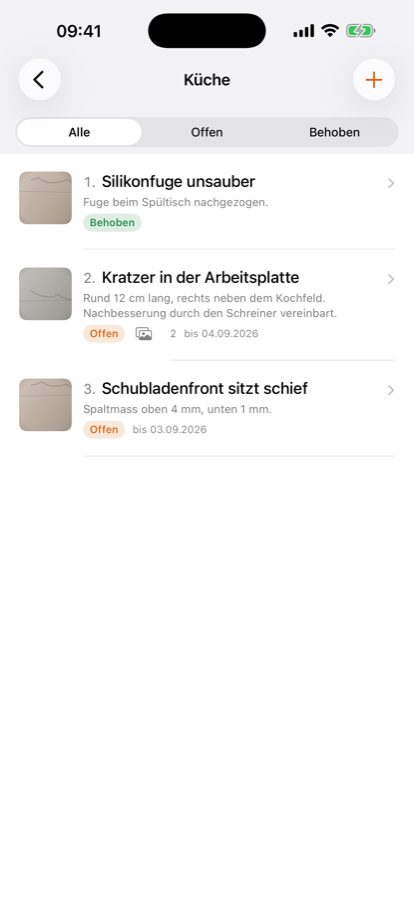
  • Rooms and defects with photo and deadline, ticked off as you go
  • Clean PDF report at handover, ready to share
  • Everything stays on the device — no account, no network access
  • Open source, MIT
Download Baumängel Tracker on the App Store

Free · iOS 17+ · Website

What they look like

Scroll sideways. Everything here is a real screenshot, nothing staged.

AI-Cockpit dashboard with all providers side by side
AI-Cockpit · full dashboard
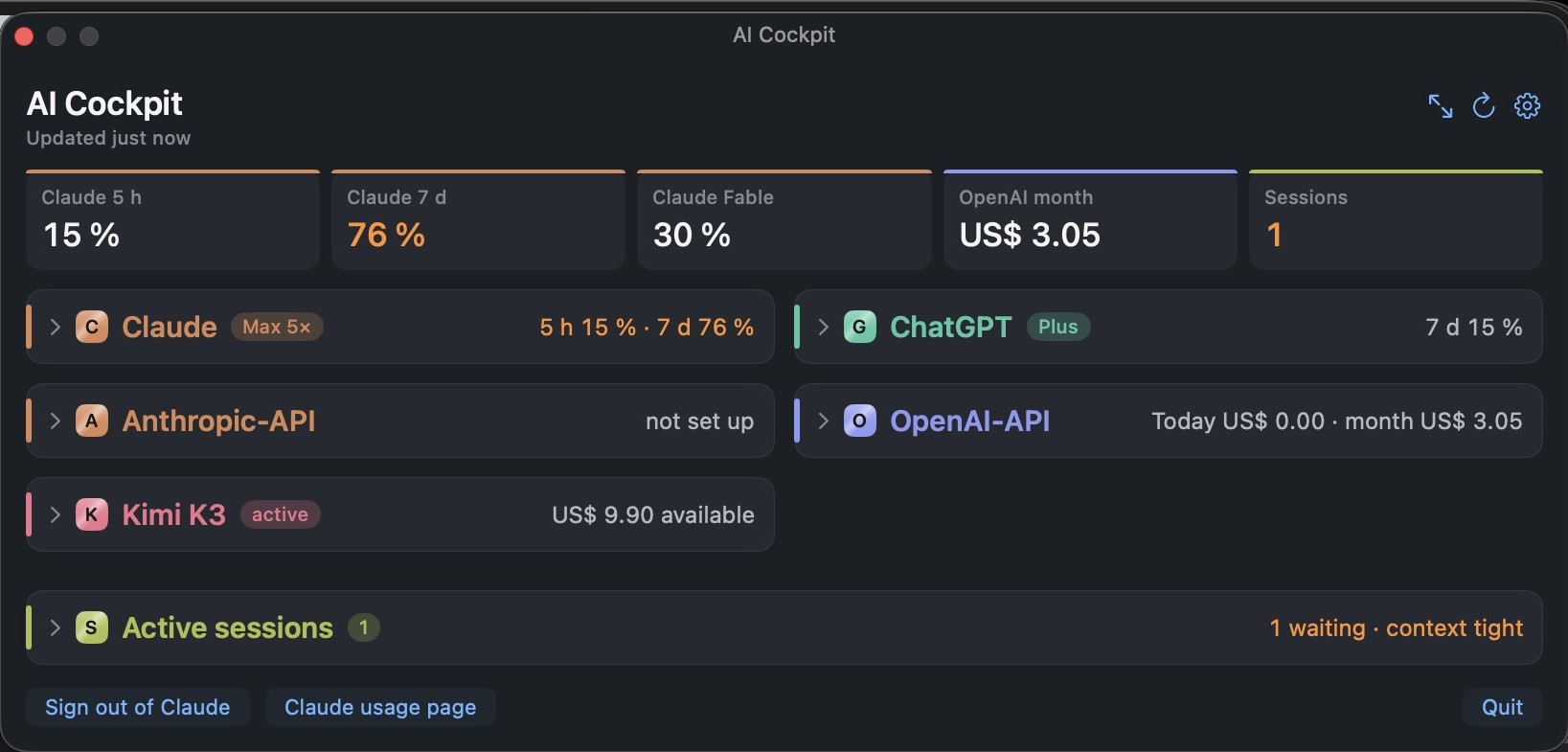
AI-Cockpit collapsed to one-line summaries
AI-Cockpit · collapsed
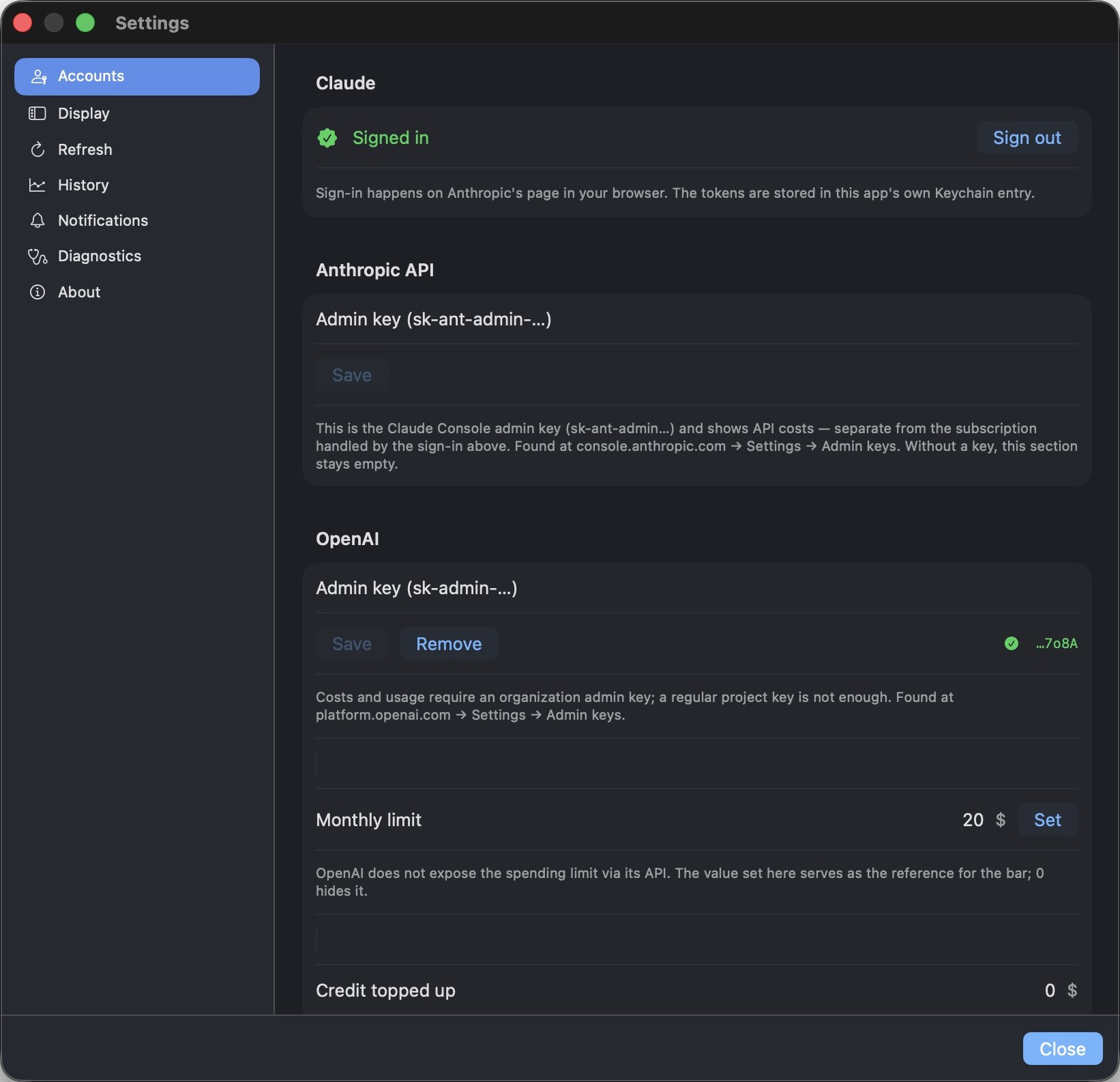
AI-Cockpit account settings
AI-Cockpit · accounts
BarBox dashboard with stats, controls, tools and weather
BarBox · dashboard
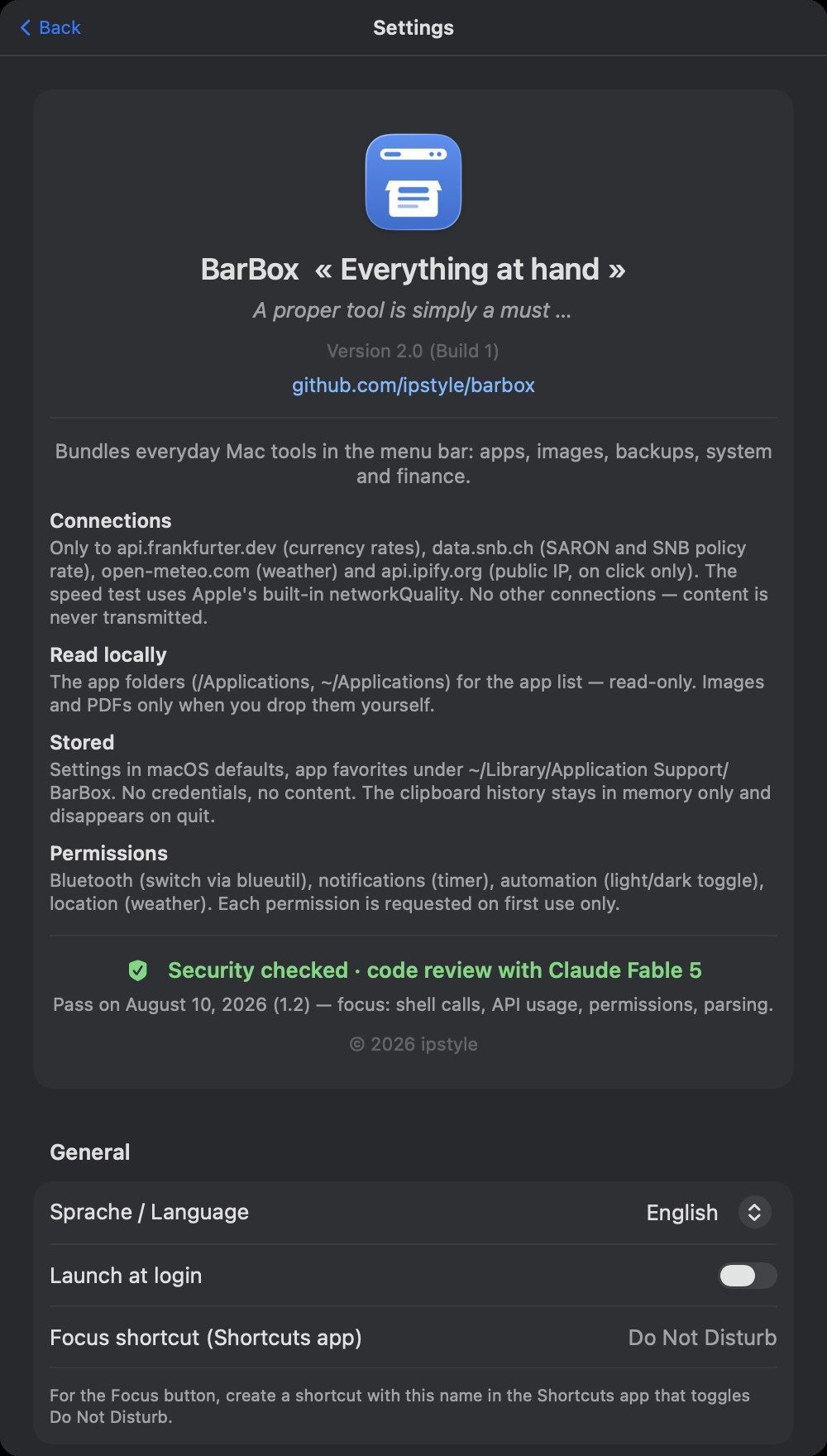
BarBox settings and about screen
BarBox · settings
Baumängel Tracker project list
Baumängel Tracker · projects
Baumängel Tracker defect list for one room
Baumängel Tracker · defects
Baumängel Tracker PDF report
Baumängel Tracker · PDF report

In the workshop

Not in the Store yet — here is where they stand.

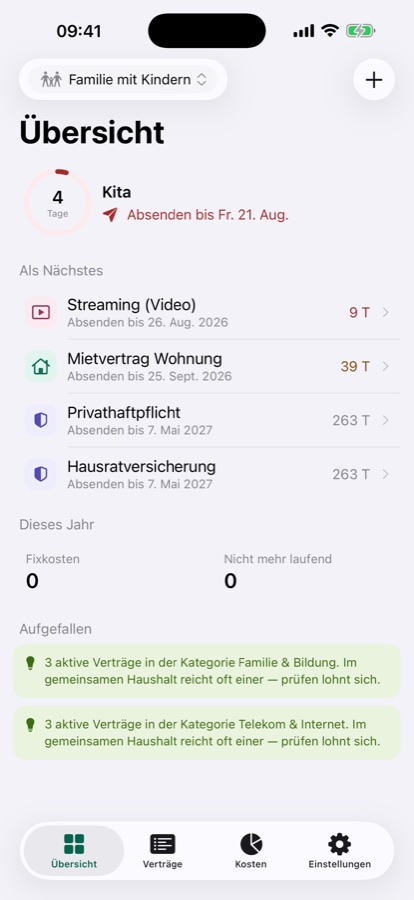
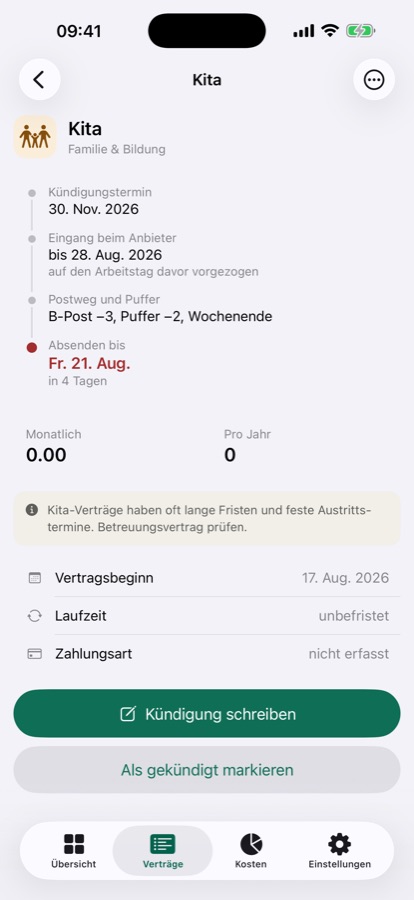
Fristwart: counts back from a cancellation deadline to the day the letter has to be sent

Fristwart Coming to the App Store

Never miss a cancellation deadline. It works backwards from the deadline to the day the letter actually has to go out — built for Swiss households.

What it does

How I build

At rest

AI-Cockpit's API keys and sign-ins live only in the macOS Keychain — encrypted by the OS, tied to this device, never synced to iCloud. BarBox and Baumängel Tracker store no credentials at all — there is nothing to keep, so nothing sensitive ever touches a settings file, a database or a log.

In transit

AI-Cockpit and BarBox connect over HTTPS to a fixed, published allowlist of hosts — nothing else, redirects never followed. Baumängel Tracker makes no network connection at all. Every host is named in each app's privacy notes; check for yourself rather than trusting a summary.

Yours to keep

Usage history exports as HTML or CSV whenever you want, and clears just as easily from Settings. Nothing sits behind a login only I control — it's your file.

Checked, not assumed

AI-Cockpit was reviewed against OWASP ASVS 4.0, OWASP MASVS, the Apple Secure Coding Guide, RFC 8252/7636 and the CWE Top 25.

Native, not wrapped

Swift and SwiftUI throughout. No Electron, no bundled browser, no 300 MB for a menu bar icon. All three apps ship through the App Store, fully sandboxed.

Open where it can be

BarBox (GPL-3.0) and Baumängel Tracker (MIT) are open source — so you don't have to take my word for any of this: the network code is public. Build it yourself with swift build -c release. AI-Cockpit is proprietary, but its documentation is public.

Something broken?

Open an issue in the repo it belongs to — that is where I read.

AI-Cockpit · BarBox · Baumängel Tracker

Security problems: please use the repository's private reporting feature rather than a public issue.