
BarBox Tools
Your everyday toolbox — one click away in the menu bar.

Listed in the App Store as “BarBox Tools” · free, no subscription, no in-app purchases
What it does
One window, everything you reach for a dozen times a day.
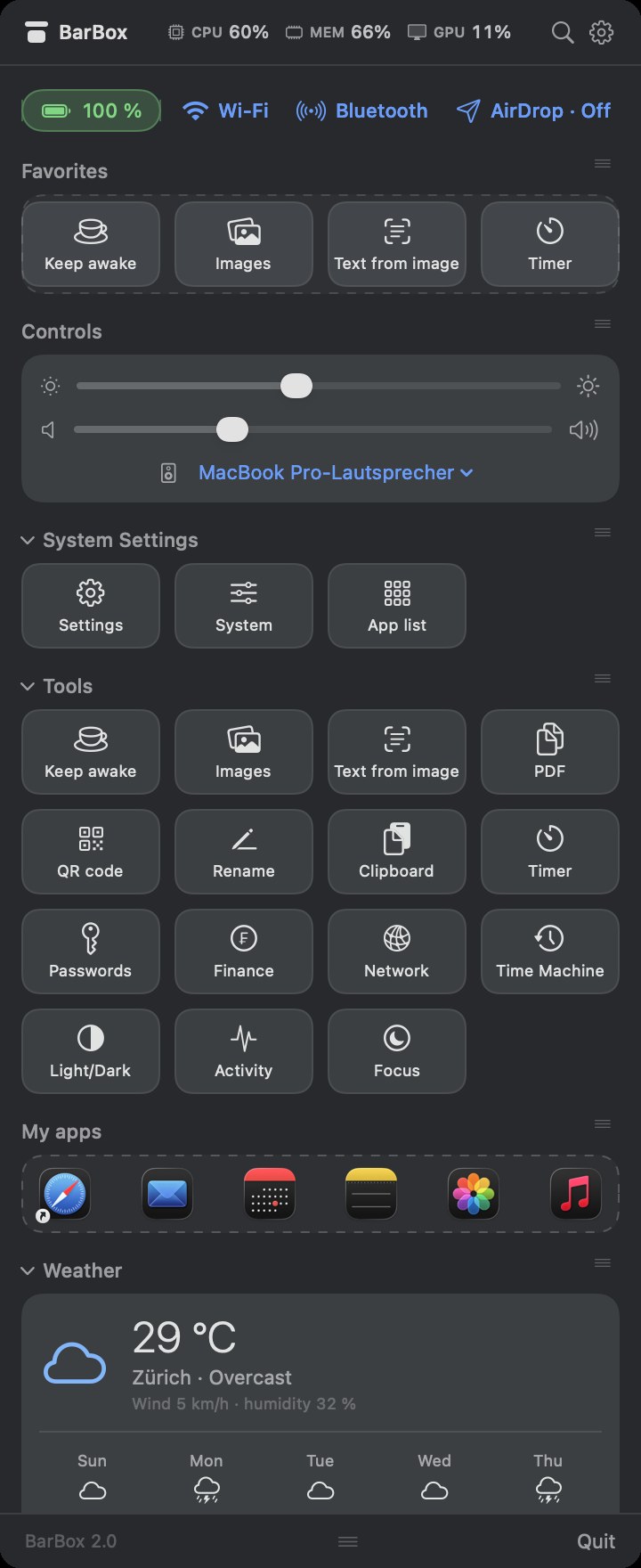
Live stats
CPU, memory, GPU and free disk space right in the header. Battery, the Wi-Fi network you are on, and Bluetooth at a glance, each as a dropdown.
Files & text
- Image compression (AI preset, half size)
- Text from image — OCR, on-device
- Merge PDFs, batch rename, QR codes
Everyday helpers
- Keep awake, timer with notification
- Clipboard history (memory only)
- Password and UUID generator
Info at a glance
- Local and public IP
- CHF → EUR/USD, SARON, SNB policy rate
- Weather with a 5-day forecast
Your layout
Favorites, app launcher, volume and audio output. Every section collapsible and reorderable, window size adjustable.
Two languages
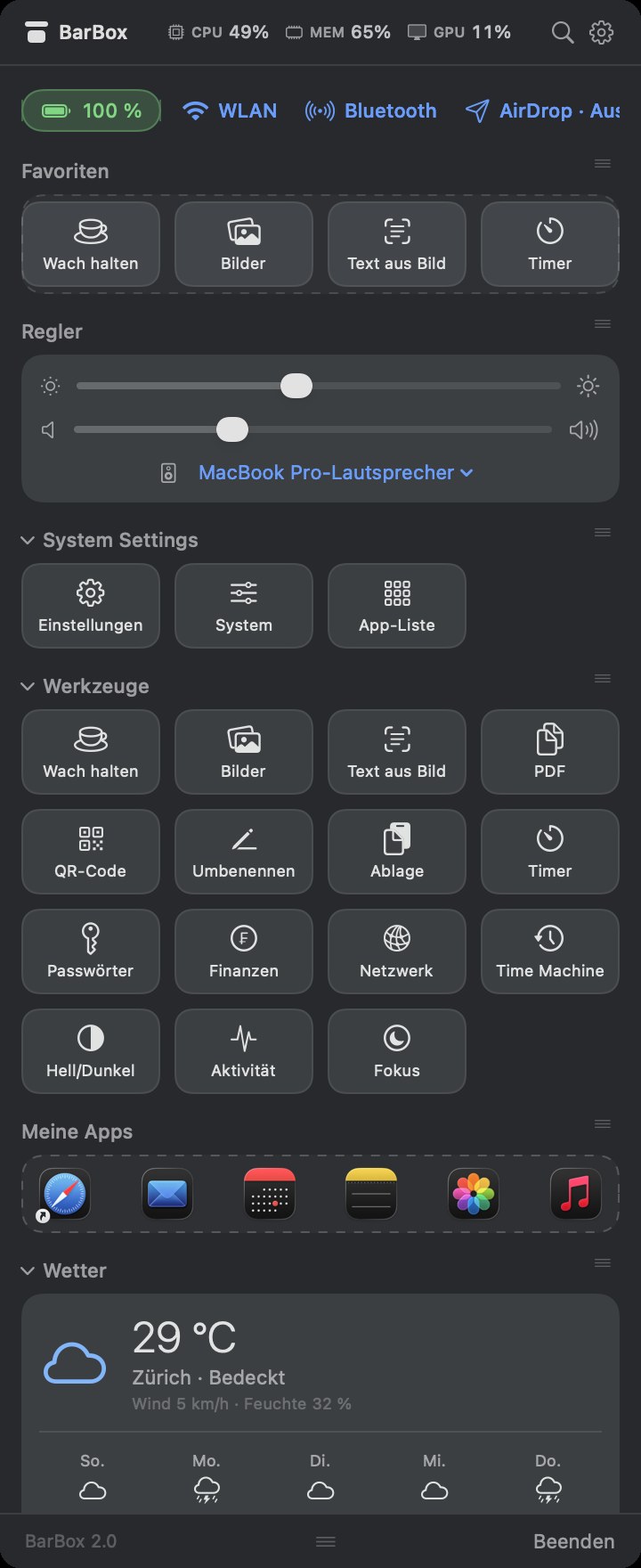
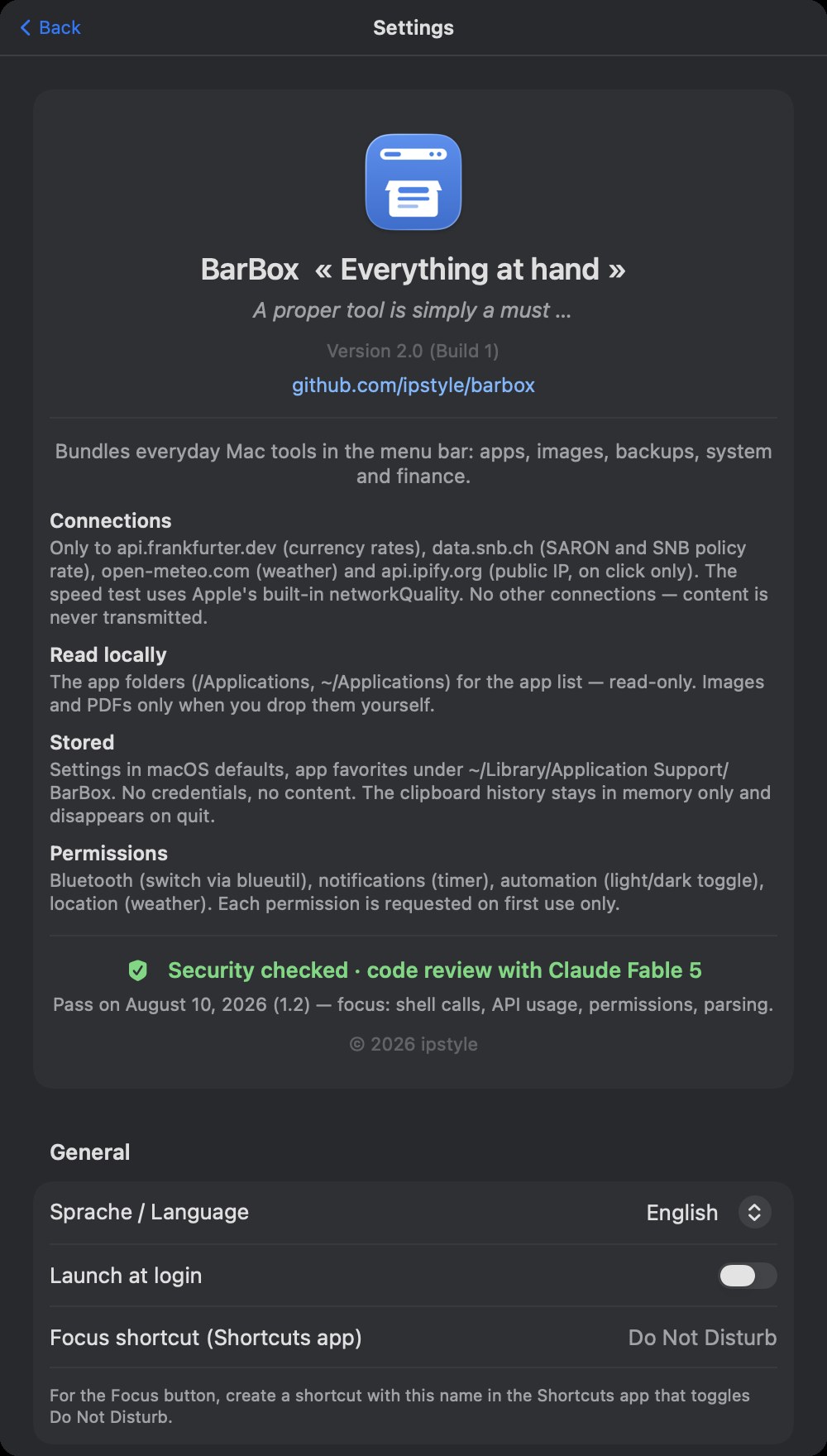
English and German interface, switchable in the settings — takes effect immediately, no restart.
What it looks like
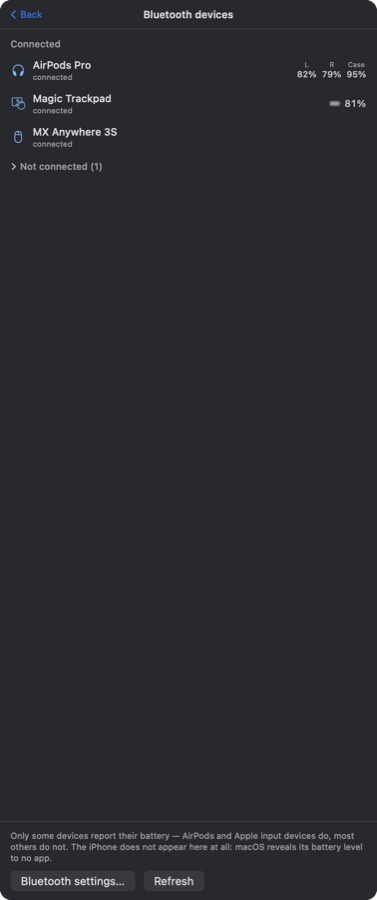
Scroll sideways. Real screenshots, nothing staged.

What’s new
Still being worked on. Here is what changed most recently.
2.2 Latest 08.09.2026
- The Wi-Fi chip shows the network you are on, not just “Wi-Fi”.
- Bluetooth devices with battery level, right under the sliders — AirPods with left, right and case.
- Microphone on and off, with an orange dot on the menu bar icon while it is muted.
- Free disk space in the header, and a global keyboard shortcut to open the window.
- The direct download is notarized by Apple — it opens without a detour.
2.1 19.08.2026
- Fixed: the settings screen was cut off the first time you opened it.
- Menu bar icon: several causes of it disappearing are fixed, and it restores itself after a display change or waking from sleep.
- The window can be up to 1500 px tall now, capped to what your screen actually fits.
- New: a daily update check that speaks up only when there really is a newer version. Switchable off.
2.0 16.08.2026
- Renamed to BarBox, with a new icon and a matching menu bar symbol.
- English is now the default language; German stays available in the settings.
- CPU, memory and GPU in the header carry visible labels.
- First version on the Mac App Store.
Install
Two ways to get it — the same app, one difference.
From the Mac App Store
Sandboxed, signed by Apple, updates by itself. The right way for most people. Open in the App Store →
Or the full version, directly
Same app, plus what the sandbox forbids: display brightness, Wi-Fi and Bluetooth switches, AirDrop, Time Machine and the speed test. Notarized by Apple, so it opens without a detour. Download →
Permissions
Each one is asked for only when the matching feature is used for the first time — and every one can be declined without breaking the rest.
| Feature | Permission |
|---|---|
| Weather | Location — or set a fallback place in the settings |
| Timer | Notifications |
| Light/dark toggle, Focus | Automation (System Events / Shortcuts) |
How I build
The Mac App Store build runs fully sandboxed, and here is what that means in practice.
At rest
BarBox stores nothing sensitive: your settings sit in the app’s own preferences, your favorites in a small file next to them. No accounts, no passwords, no keychain items, no database. The clipboard history lives in memory only and is gone when you quit.
In transit
Six hosts over HTTPS, all of them public services, none of them mine: api.open-meteo.com for weather, geocoding-api.open-meteo.com for place lookup, api.frankfurter.dev for rates, data.snb.ch for Swiss interest rates, api.ipify.org only when you click, and itunes.apple.com for the update check. No identifier travels with them.
Nothing comes back to me
No analytics, no crash reporting, no telemetry, no third-party SDKs — so there is no dashboard anywhere showing what you did. OCR runs on the device; images and text never leave the machine.
Yours to keep
Nothing sits behind a login only I control. Everything BarBox knows lives on your Mac in plain, standard places — drag the app to the trash and it is genuinely gone, no leftovers on a server.
Native, not wrapped
Swift and SwiftUI throughout, no Electron, no bundled browser — under a megabyte to download instead of three hundred. The App Store build runs fully sandboxed.
Something broken?
Questions, bug reports and ideas belong in the issue tracker — that is where I read.
github.com/ipstyle/barbox/issues
Security problems: please use the repository’s private reporting feature rather than a public issue.